Order entry for electrical distributors who use Tally
OrderDak reads the orders your dealers and contractors send for wire, MCBs, switches and fittings, matches each line to your Tally stock items, and checks the rate, pack size, stock and credit limit. Your order desk approves the clean ones in one click and only fixes the lines OrderDak flags.
An electrical distributor's orders are short, fast and full of shorthand. A dealer writes “1.5 red wire 20 coil” or “MCB 16A SP 48 nos” on WhatsApp. A contractor emails a PDF with his own item codes. Someone on your desk has to work out which of your hundreds of stock items each line means, in the right colour, size and pole.
By hand this is slow and easy to get wrong. Colours and sizes are mixed up. A box of 12 is entered as 10. A dealer who is already over his limit gets another order. And the rate is checked from memory, if at all.
OrderDak matches each line to your item list and learns each customer's own words for your items, so “red wire 1.5” maps to the right coil next time. Before an order can go to Tally it checks the rate against your price list or that dealer's own rate, flags quantities that are not a whole number of packs, compares the quantity with stock, and holds orders that would cross the credit limit.
Steps in OrderDak
Load your items and dealers
Upload your stock items and Sundry Debtors from Tally as CSV. If some dealers get special rates, upload a party-wise rate CSV too.
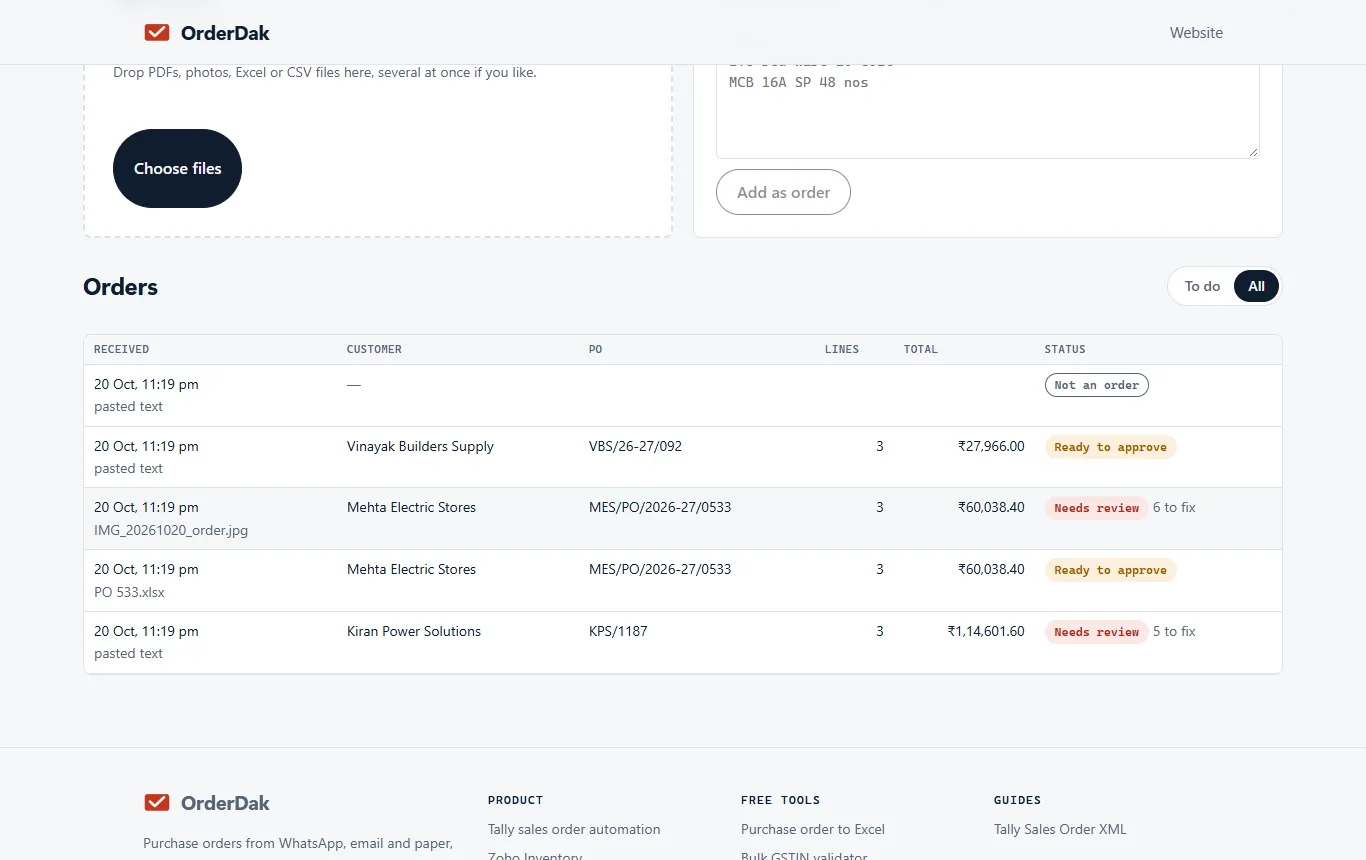
Send orders in
Paste the dealer's WhatsApp message, upload the PDF or photo of a printed order, or forward the order email to your OrderDak address.
Check the flagged lines
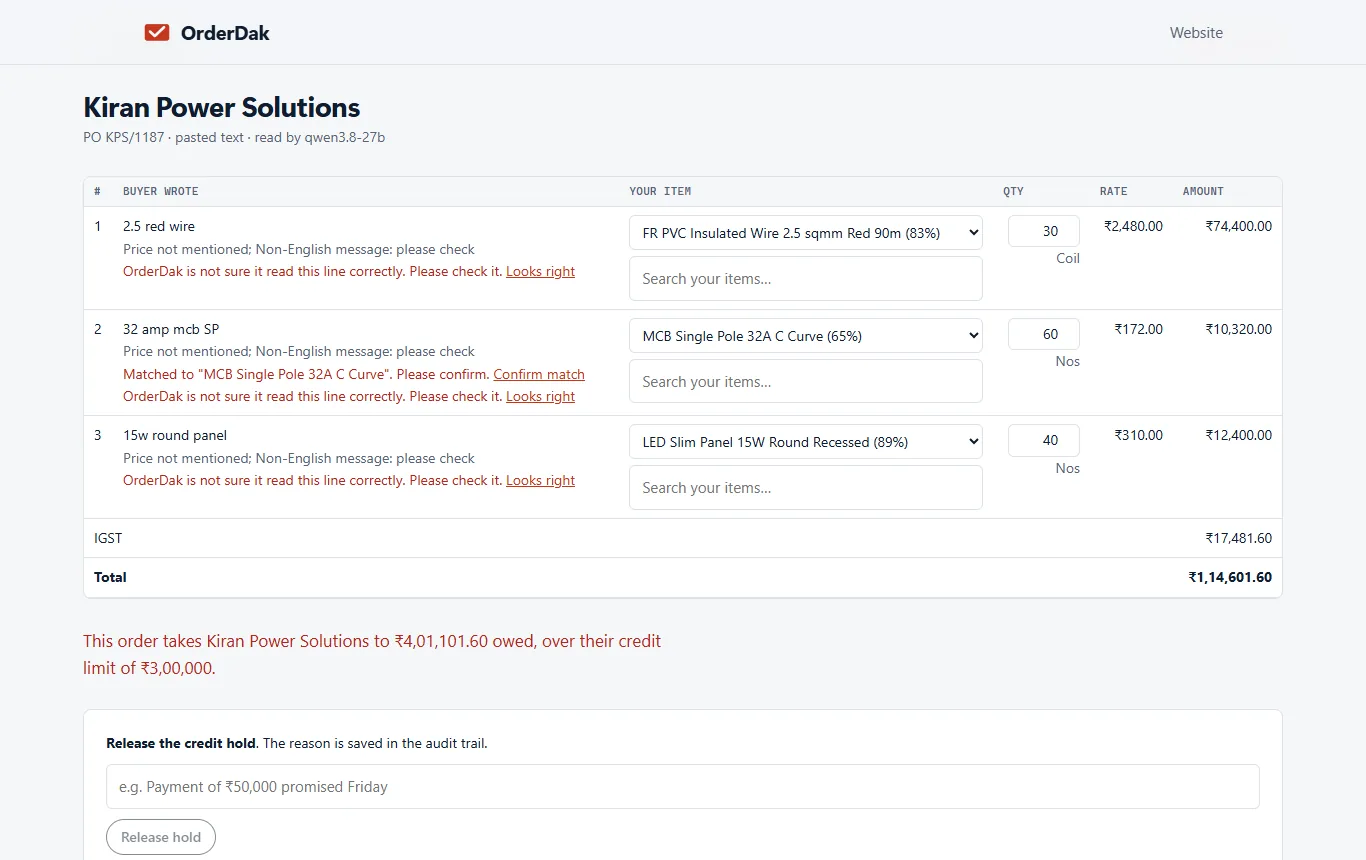
Each line shows what the buyer wrote next to your item. Confirm a match once and OrderDak remembers it for that dealer. Fix a pack size or rate in one click.
Approve for Tally
Click “Approve for Tally”. Orders over the credit limit stay held until someone releases them with a reason.
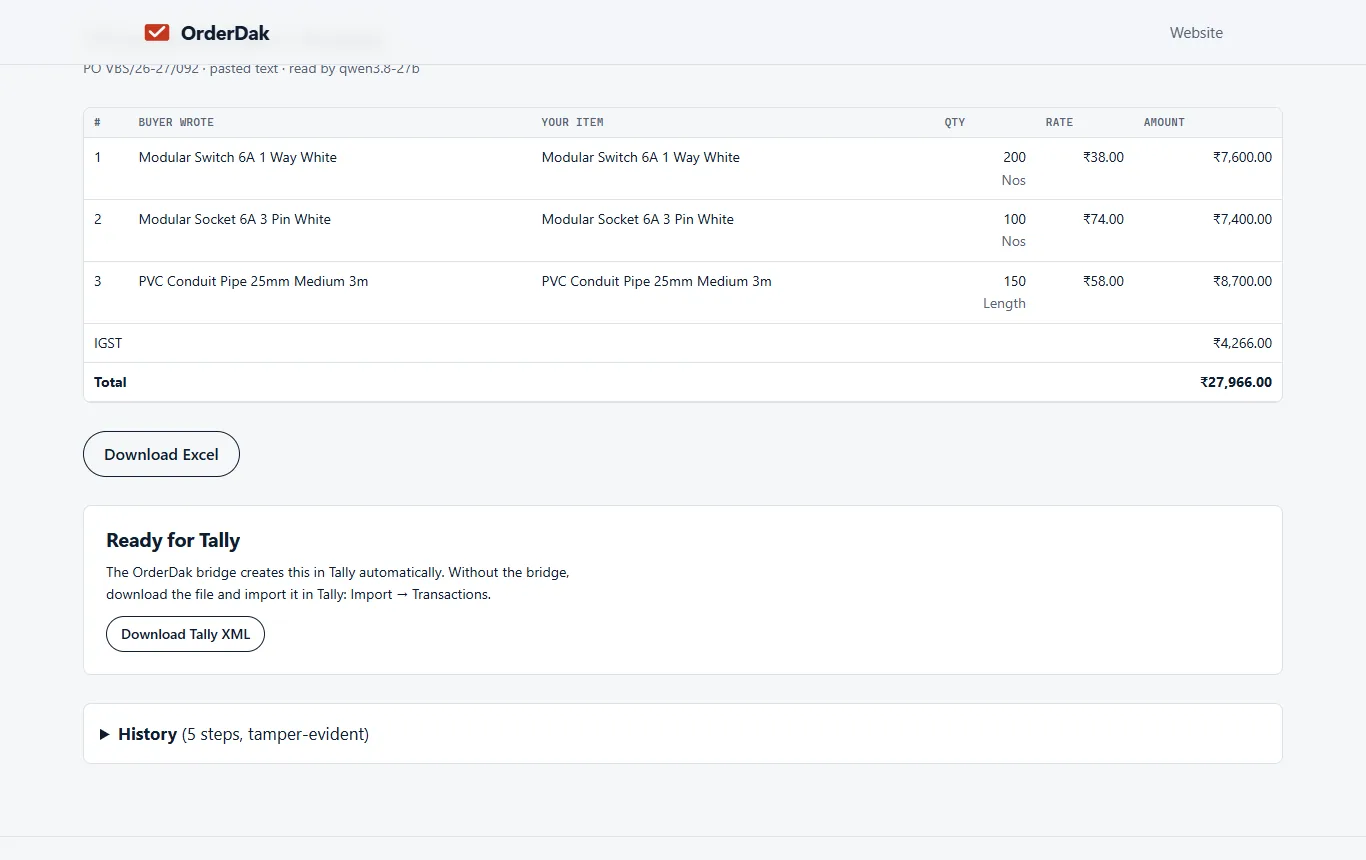
Create the Sales Order
Download the Tally XML and import it (Import, then Transactions), or let the OrderDak bridge on your Tally PC create it (beta).
When OrderDak is not the right tool
If your dealers write orders by hand on slips, OrderDak can't read them yet; it reads printed photos and scans only. If you get only a few orders a week, typing them yourself is fine. And if your dealers want to browse a catalogue and order inside WhatsApp, a WhatsApp ordering bot fits better, because OrderDak has no direct WhatsApp number connection yet.
Questions
Can it tell 1.5 mm wire from 2.5 mm wire?
It matches against your own item names. When a line is unclear it is marked for review, never guessed. After you confirm a match, it is remembered for that customer.
Does it check box quantities?
Yes. If your item list has a pack size, OrderDak warns when the quantity is not a whole number of packs.
Can dealers get their own rates?
Yes. Upload party-wise rates as a CSV, with optional valid-from and valid-to dates. Only rates valid today are used in the check.
What does it cost?
It is free for your first 3 months. After that you pay only for what you use, at our cost, from a prepaid balance.
Related: Order entry for hardware and building-material distributors · How to stop retyping WhatsApp orders into Tally · OrderDak vs Docs by Ira · Pricing
Last updated 1 November 2026 · by Venu Gopal Reddy Muvva, founder