Order entry for hardware and building-material distributors
OrderDak reads the orders contractors, shops and project buyers send for pipes, fittings, paint, tiles and tools, and matches each line to your Tally stock items. It checks the rate, credit limit and stock, flags anything unclear, and your team approves the order into Tally.
Hardware and building-material orders are long and detailed. One project order can have 40 lines of pipe sizes, elbows, tees and fasteners, each written the buyer's way. Shops send photos of printed order forms. Project buyers email PDFs with their own PO numbers and item codes.
Matching “¾ inch elbow CPVC” to the right item in a list of thousands takes time, and a wrong size means a wrong delivery. Contractors often have large outstanding balances, and the same PO is sometimes sent again by email and WhatsApp.
OrderDak matches each line to your item list and learns each buyer's names for your items. It checks each rate against your price list or the buyer's own rate, holds orders that would take a buyer over the credit limit, and blocks a PO number that already came from the same customer. Long orders can be split across files if one is too big to read in one pass.
Your team stays in charge. The AI only reads the order; it cannot write to Tally. A Sales Order is created by OrderDak's own code, only after your checks pass or a person approves. Every read, edit and approval is kept in an audit log, so when a contractor says “I never ordered that”, you can open the original message next to the order.
Steps in OrderDak
Upload items, customers and rates
Upload your stock items and customers as CSV. Add party-wise rates for contractors with special prices.
Add the order
Upload the PDF or a photo of the printed order form, or paste the message. Several files can go in at once.
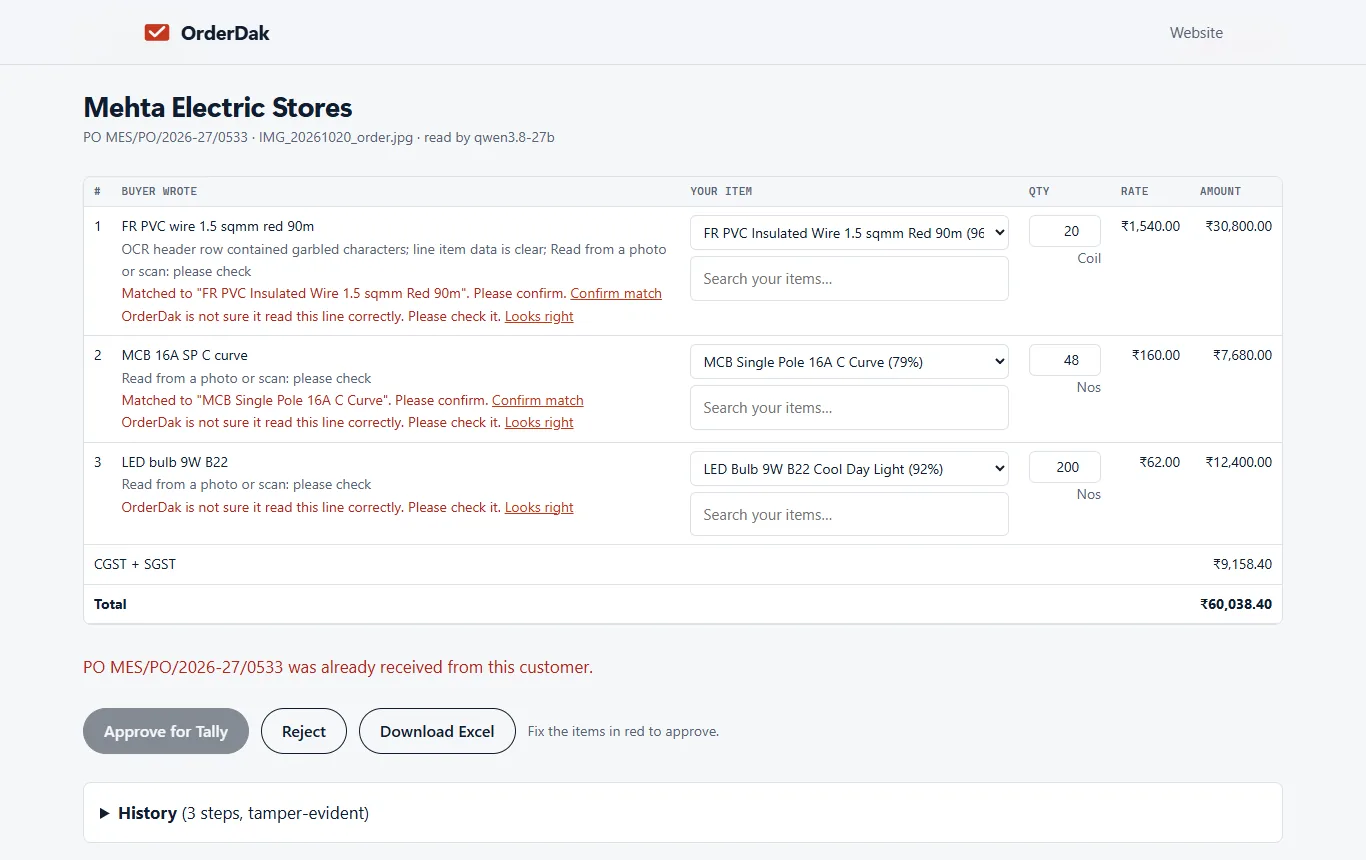
Check every flagged line
Unclear sizes or names are marked. Pick the right item and click “Confirm match”. Orders read from photos ask you to check every line.
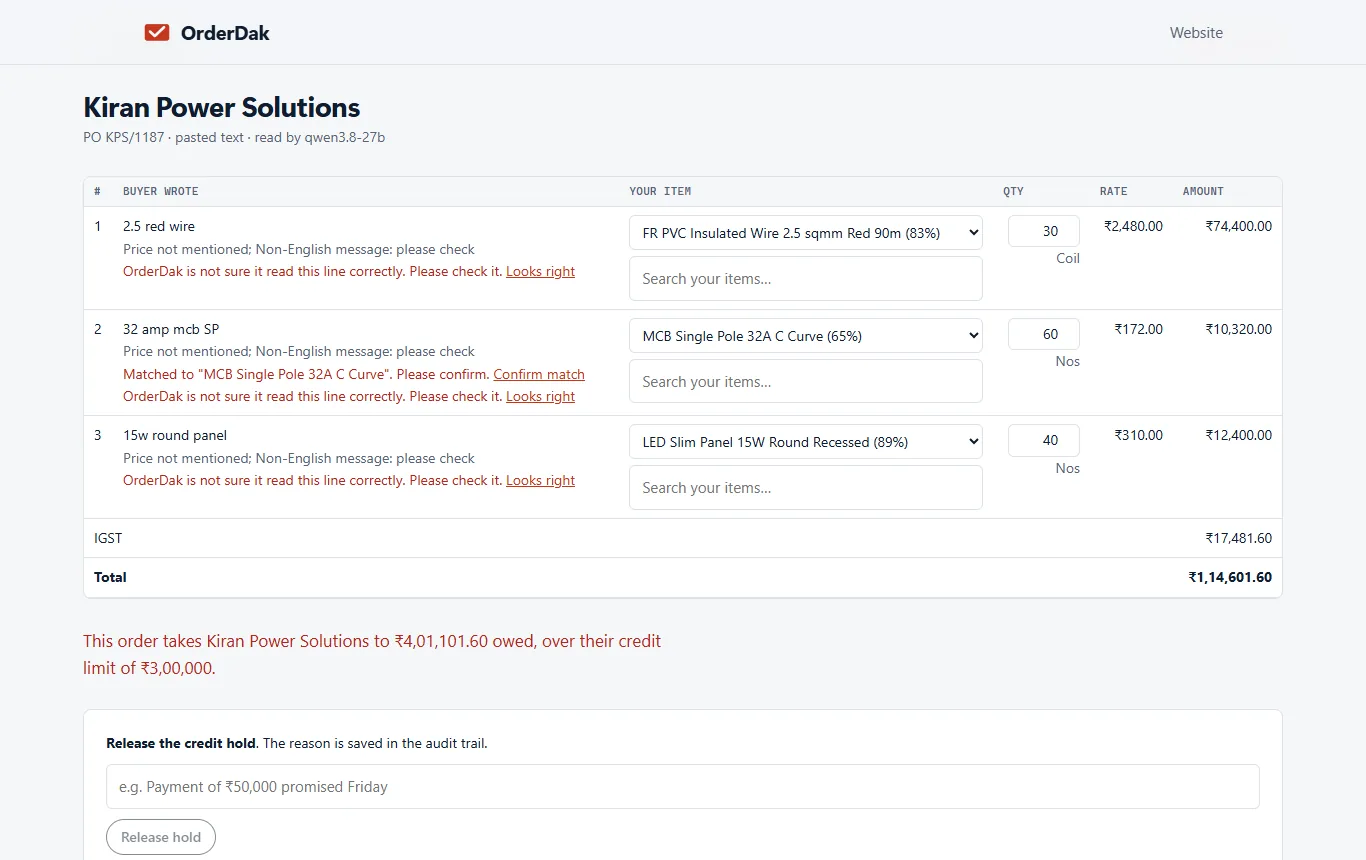
Handle holds
If the buyer is over the credit limit, release the hold with a reason or reject the order. A repeated PO number is blocked for review.
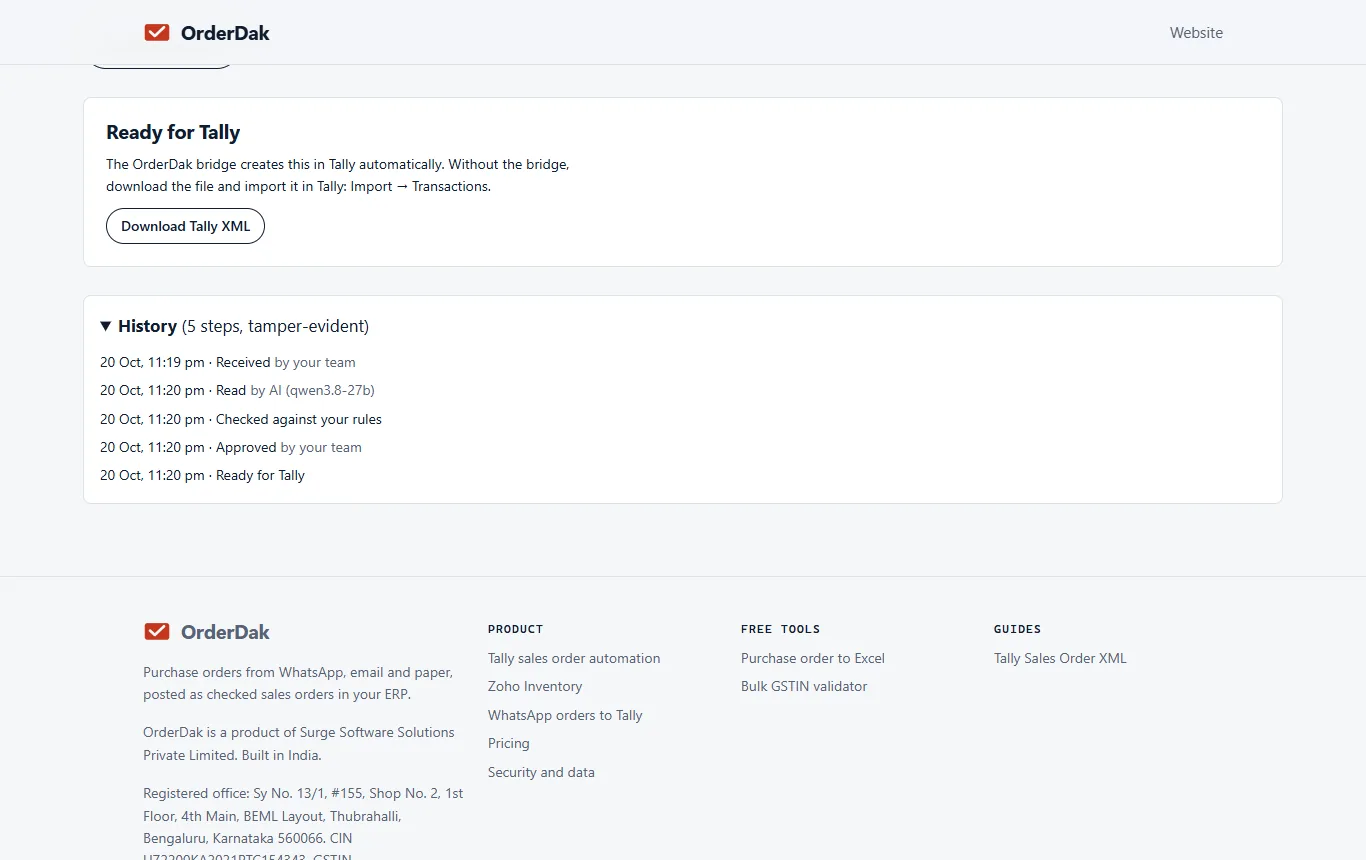
Approve and post
Approve, then import the Tally XML or let the bridge create the Sales Order (beta). Every step is in the order's history.
When OrderDak is not the right tool
If most of your orders are handwritten site slips, OrderDak can't read them yet. If you need site delivery tracking, challans or returns, those modules are not built yet. And if your orders are already clean PDFs, one per file, and you are on TallyPrime 7.1, Tally's own Docs by Ira may be enough.
Questions
Can it read a 40-line order?
Yes, if it fits in one file. If an order is too long to read in one pass, OrderDak asks you to split it into smaller files.
Does it catch the same PO sent twice?
Yes. If a PO number already came from the same customer, the order is blocked for review.
Can it create the delivery challan?
No. It creates Tally Sales Orders. Delivery proof and returns are planned, not built.
Related: Order entry for electrical distributors who use Tally · How to catch duplicate purchase orders before they reach Tally · OrderDak vs Docs by Ira · Pricing
Last updated 1 November 2026 · by Venu Gopal Reddy Muvva, founder