Order entry for pharma distributors: chemist orders into Tally
OrderDak reads the orders chemists and hospitals send on WhatsApp, PDF and Excel, matches each product name to your item list, and checks the rate, credit limit and stock. It does not allocate batch or expiry yet, so your team adds those in Tally when billing.
Pharma orders mix brand names, strengths and pack forms: “Dolo 650 10x15”, “Pan 40 2 box”. Chemists send them as WhatsApp lists, PDFs from their software, or photos. One spelling mistake or a wrong strength matters more here than in most trades.
By hand, your desk reads each line, finds the right product and strength, checks the chemist's rate and outstanding, and types it in. It is careful work, and it piles up in the morning rush.
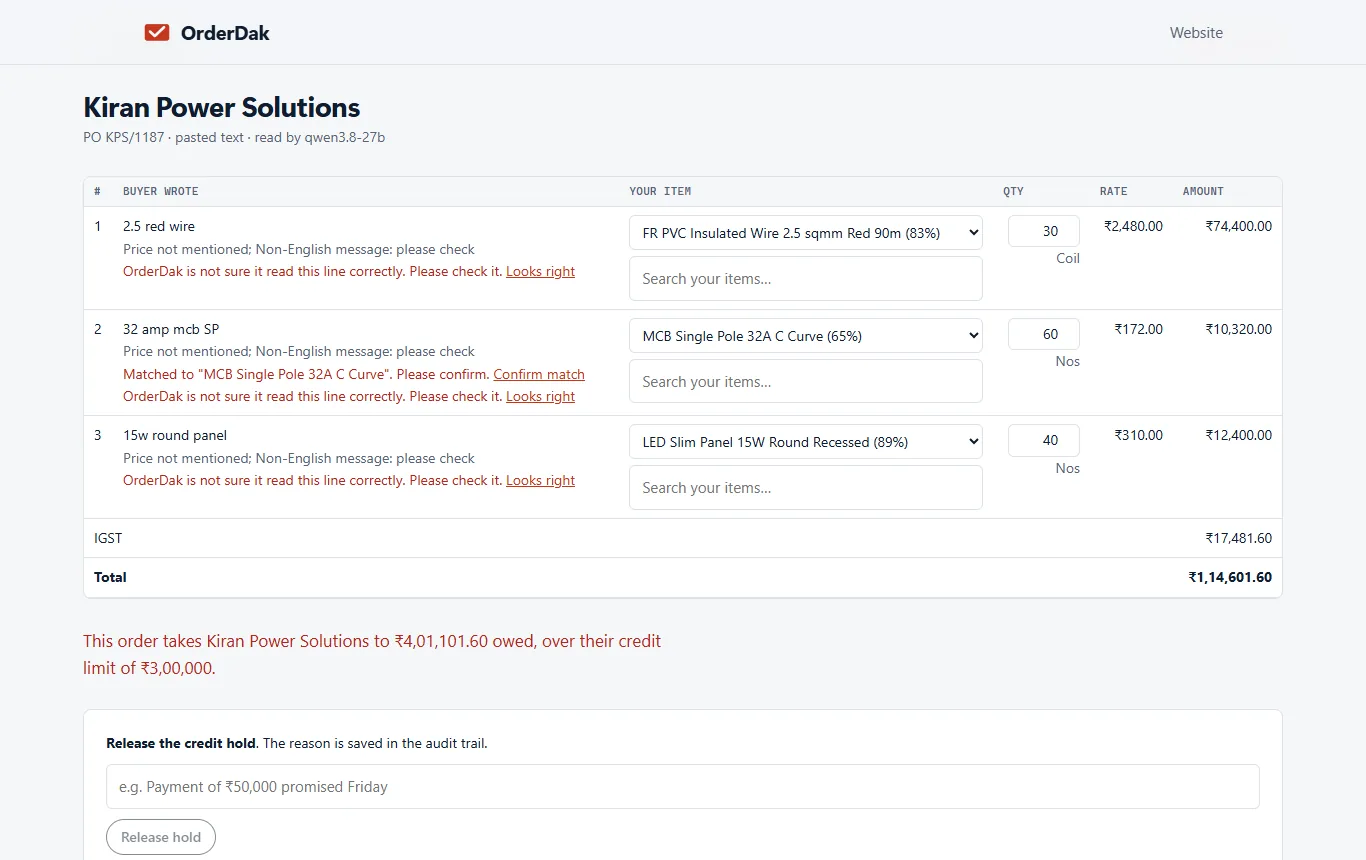
OrderDak matches each line to your item list and learns each chemist's way of writing your products. A line it is not sure of is marked for review, never guessed. It checks rate, stock and credit limit before approval. Orders post to Tally as Sales Orders with the default godown and batch; batch and expiry allocation is on the roadmap, not built.
Many pharma distributors run Marg rather than Tally. OrderDak makes a Marg import file (beta) for approved orders, and a Busy file too. Neither has been imported into a real Marg or Busy install yet, so try a few orders before you rely on it. Orders in Hindi or other languages always go to a person, and orders read from photos ask you to check every line.
Steps in OrderDak
Load products and chemists
Upload your item list (with strength and pack in the item name, as in Tally) and your customers as CSV.
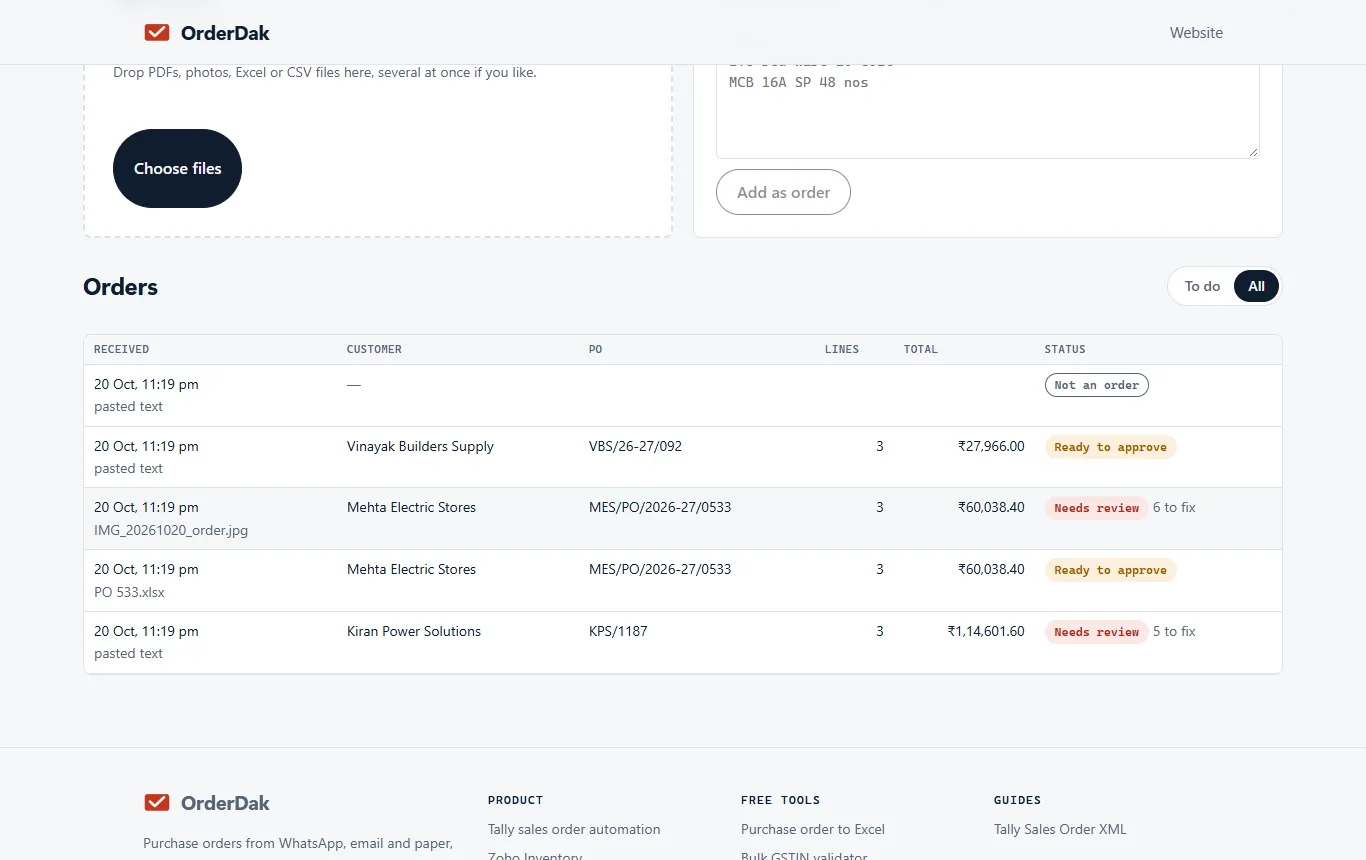
Add the orders
Paste WhatsApp lists, upload PDFs and Excel sheets, or forward order emails.
Review each match
Check the lines OrderDak flags. Confirm the right product and strength once; it is remembered for that chemist.
Approve
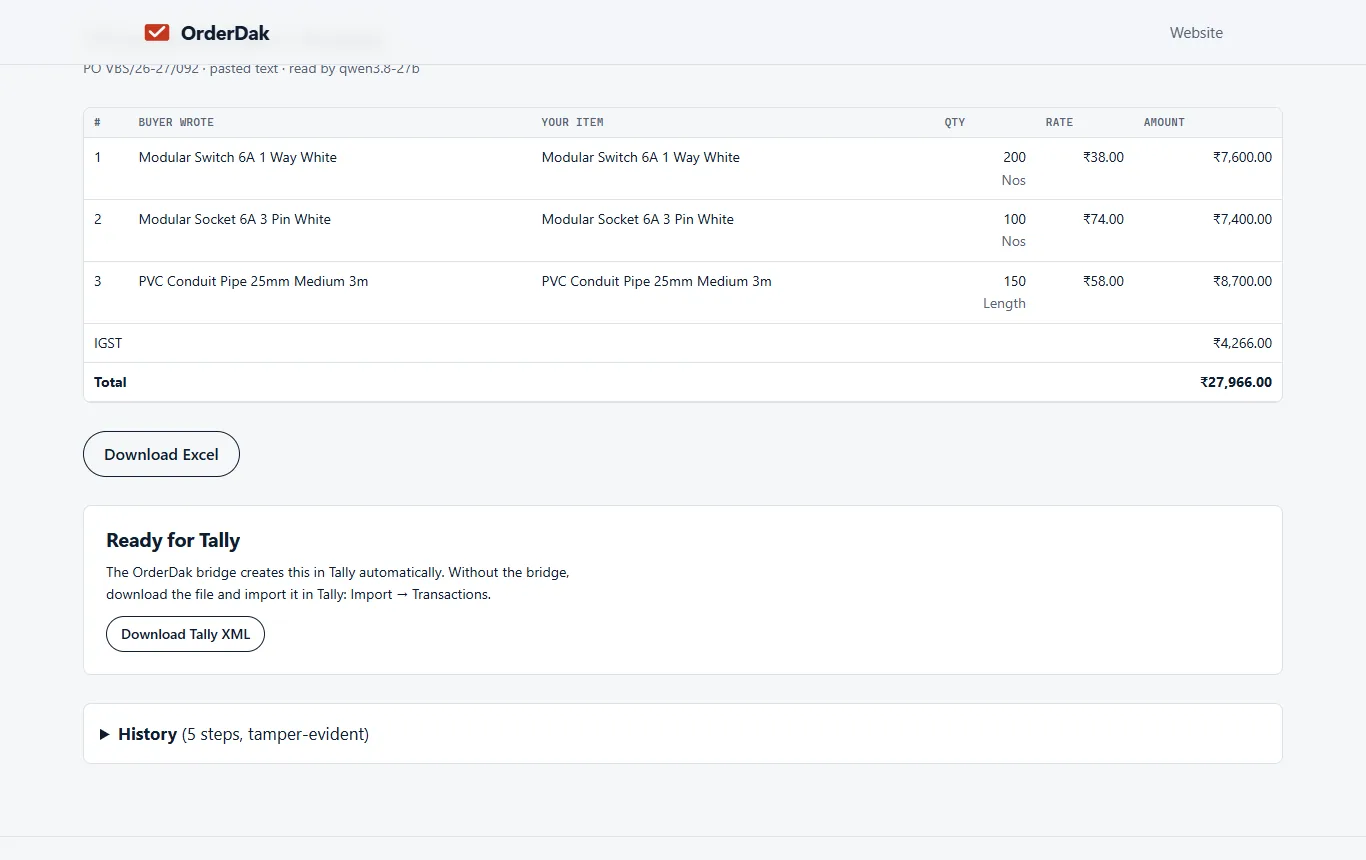
Approve clean orders. Orders over the credit limit stay held until released with a reason.
Into your software
On Tally, import the XML or use the bridge (beta). On Marg, download the Marg import file (beta) from the order list.
When OrderDak is not the right tool
If you need batch numbers and expiry dates chosen for each line when the order is created, OrderDak can't do that yet. If you bill straight from the order without a sales order step, and need e-invoices or e-way bills, those are not built yet either. For Marg users, the import file has not yet been tested in a real Marg install.
Questions
Does it pick batches and expiry dates?
No, not yet. Orders post to the default godown and batch. Your team allocates batches in Tally or Marg.
Does it work with Marg?
Approved orders download as a Marg import file (beta). Direct posting into Marg is not built.
What if a product name is misspelt?
The line is matched to the closest items and marked for review if OrderDak is unsure. You confirm once and it is remembered.
What does it cost?
Your first 3 months are free, with no cap and no card. After that you pay only for what you use, at our cost, from a prepaid balance.
Related: How to import sales orders into Marg ERP · Order management for FMCG distributors on Tally · OrderDak vs Docs by Ira · Pricing
Last updated 1 November 2026 · by Venu Gopal Reddy Muvva, founder