How to import sales orders into Marg ERP
OrderDak reads and checks each customer order, then gives you an Excel or CSV file for Marg's ERP Bridger sale order import. In Marg you create an import method once, then import the file. This is beta: it was built from Marg's help pages and has not yet been imported into a real Marg install.
Marg users often type every chemist or retailer order into a sale order by hand. Marg's ERP Bridger can import inventory transactions from a file, once you set up a method that says which column holds which field.
OrderDak does the reading, matching and checks. Each approved order gives a Marg file, one row per item, and the order list can download all approved orders in one file. If Marg does not open the .xlsx file, use the CSV download.
OrderDak does not post directly into Marg; that is not built. These orders show “Ready to import” in the app. For pharma, batch and expiry are not filled in by OrderDak; you allocate them in Marg.
Before the file is made, each order is checked: rate against your price list or party rates, stock, pack size, credit limit, duplicate PO number and GSTIN. Every download is recorded and the order shows “Exported on …”, so you can tell which orders are already in Marg.
Steps in OrderDak
Choose Marg in setup
In OrderDak setup, choose Marg ERP. Upload your items and customers with the same names (or item codes) as in Marg.
Add, check and approve orders
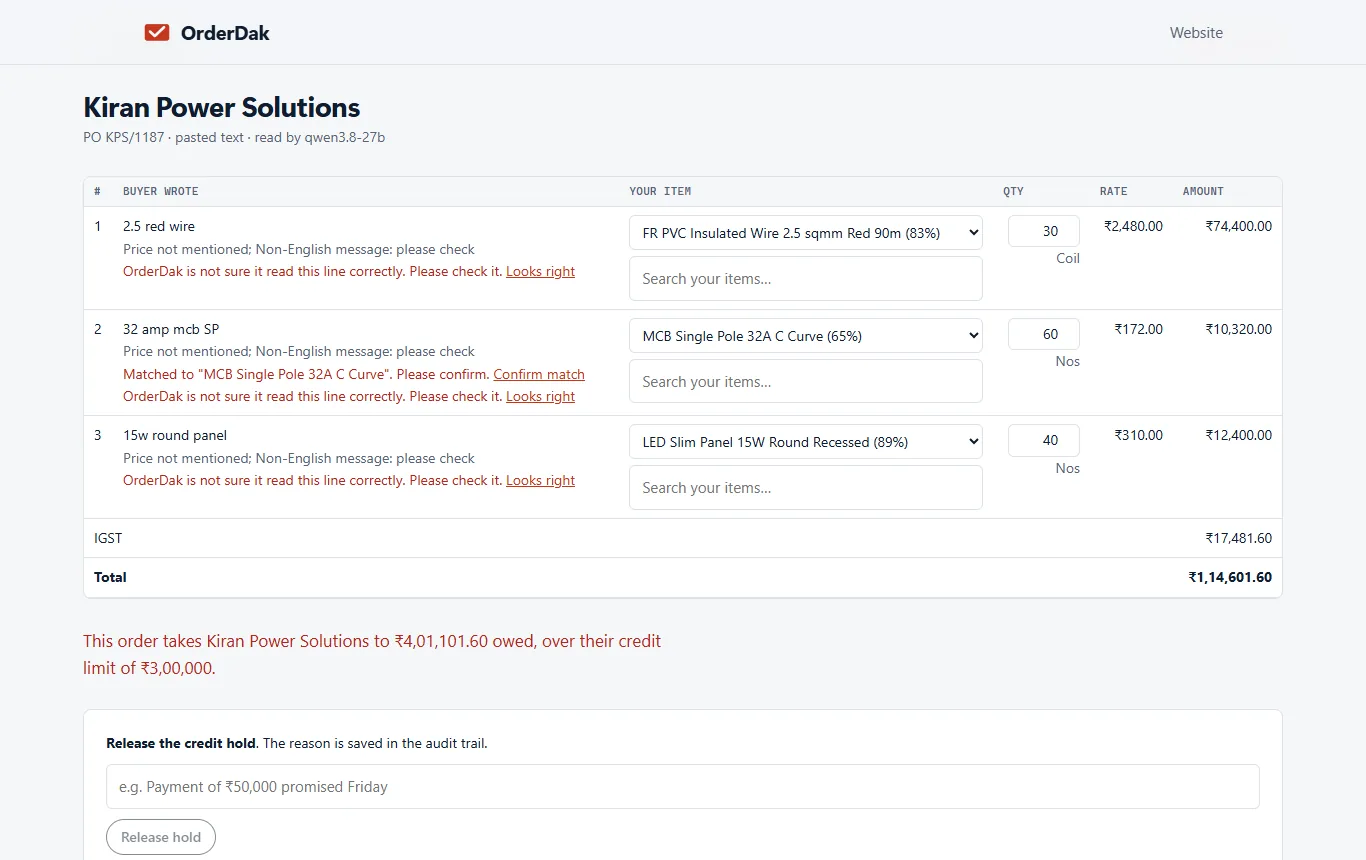
Paste, upload or forward orders, fix the flagged lines and approve.
Download the Marg file
Download from one order, or all approved orders from the order list, as Excel or CSV. Already-exported orders are skipped unless you tick “Include already exported”.
Back up Marg
Take a backup of your Marg company before importing.
Create the import method once
In Marg go to Masters, then Marg Setups, then Advance Features, then ERP Bridger-Import-Inventory, then Method. Create a method, set the default type to Sale Order, data from line 2, and enter the column letter for each field as OrderDak shows in its in-app guide.
Import the file
Go to Transactions, then ERP Bridger, then Import-Inventory. Choose the method and the file, Accept, choose the sale type and press Enter.
When OrderDak is not the right tool
If you need orders posted straight into Marg, or batch and expiry chosen for each line, OrderDak can't do that yet. Marg's menus differ by version and edition, so check yours has ERP Bridger import. Because the file has not been tested in a real Marg install, try a few orders first.
Questions
Does OrderDak post directly into Marg?
No. Direct posting is not built. You download the import file and import it with ERP Bridger.
Marg won't open the .xlsx file. What now?
Use the CSV download instead. The columns are the same.
Does it fill in batch and expiry?
No, not yet. Allocate batches in Marg after import.
What does it cost?
Your first 3 months are free, with no card. After that you pay only for what you use, at our cost. Making the Marg file has no usage charge.
Related: Order entry for pharma distributors: chemist orders into Tally · How to import sales orders into Busy from Excel · OrderDak vs Docs by Ira · Pricing
Last updated 1 November 2026 · by Venu Gopal Reddy Muvva, founder