Dealer purchase orders for manufacturers, entered once
OrderDak turns each dealer's purchase order, in whatever format they send it, into a Tally Sales Order with the dealer's own rates and the PO number kept. It blocks a PO number that the same dealer already sent, and checks credit limit, GSTIN and the GST split before approval.
Manufacturers selling to dealers get POs in every layout. One dealer's software prints item codes, another writes your product names in short, a third sends an Excel sheet. Rates are agreed per dealer, sometimes only for a season.
When this is typed by hand, two things go wrong most. The same PO is entered twice, because it came by email and again on WhatsApp. And lines are entered at the list rate instead of the dealer's agreed rate.
OrderDak keeps the dealer's PO number on the order and blocks it if that dealer already sent it. It checks each rate against the dealer's own rate from your party-wise rate list, using only rates valid today. It also checks the GSTIN on the PO against your customer master, and picks CGST + SGST or IGST from the place of supply.
Each correction you make teaches OrderDak that dealer's names and codes for your products, so the next PO from the same dealer needs fewer clicks.
Steps in OrderDak
Load dealers and their rates
Upload your customers, your item list, and a party-wise rate CSV with Party Name, Item Name or Code, Rate, and optional Valid From and Valid To.
Bring the POs in
Forward dealer PO emails to your OrderDak address, or upload the PDFs and Excel sheets.
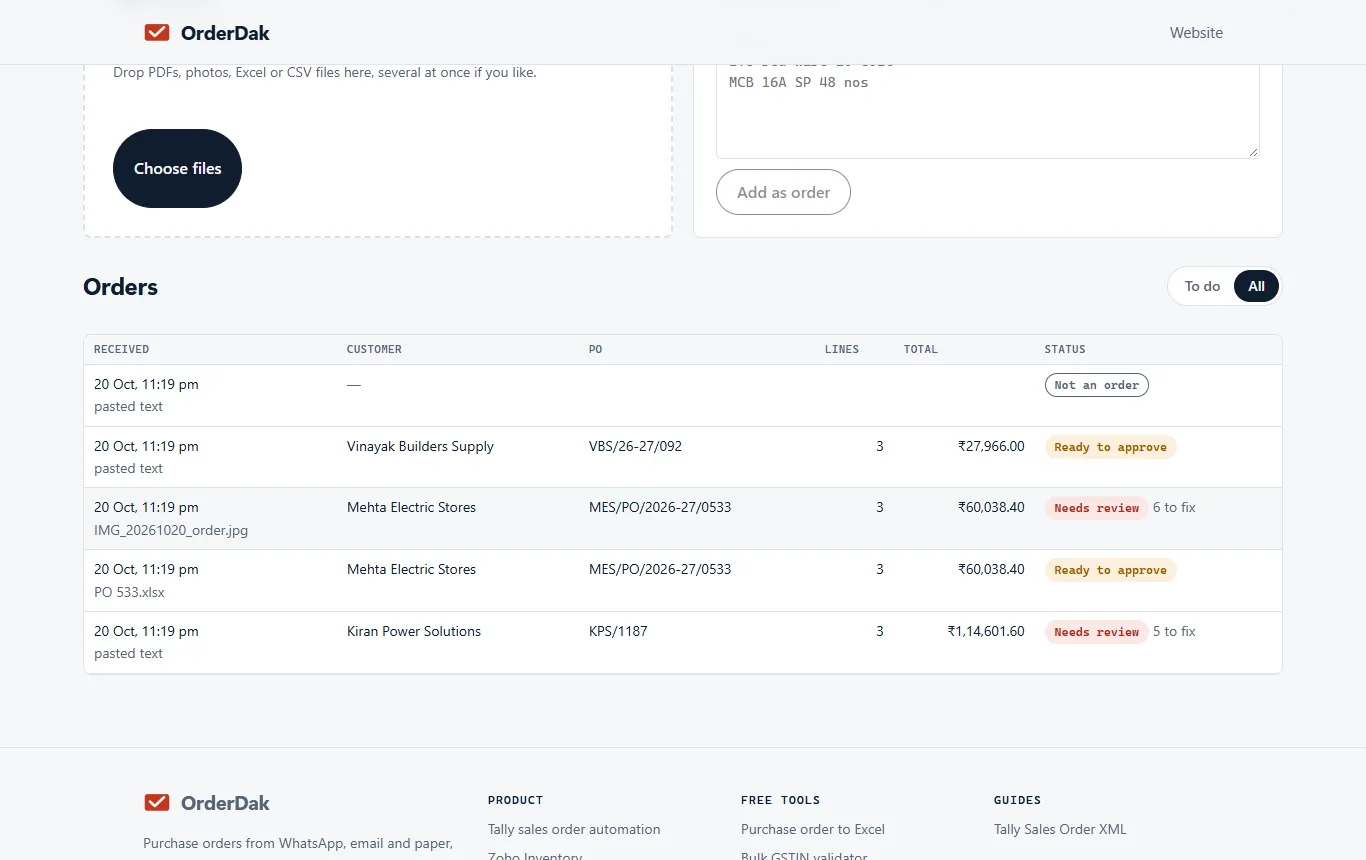
Check rates and duplicates
Lines off the dealer's rate are flagged; click “Use list price” or keep the PO rate. A repeated PO number is blocked.
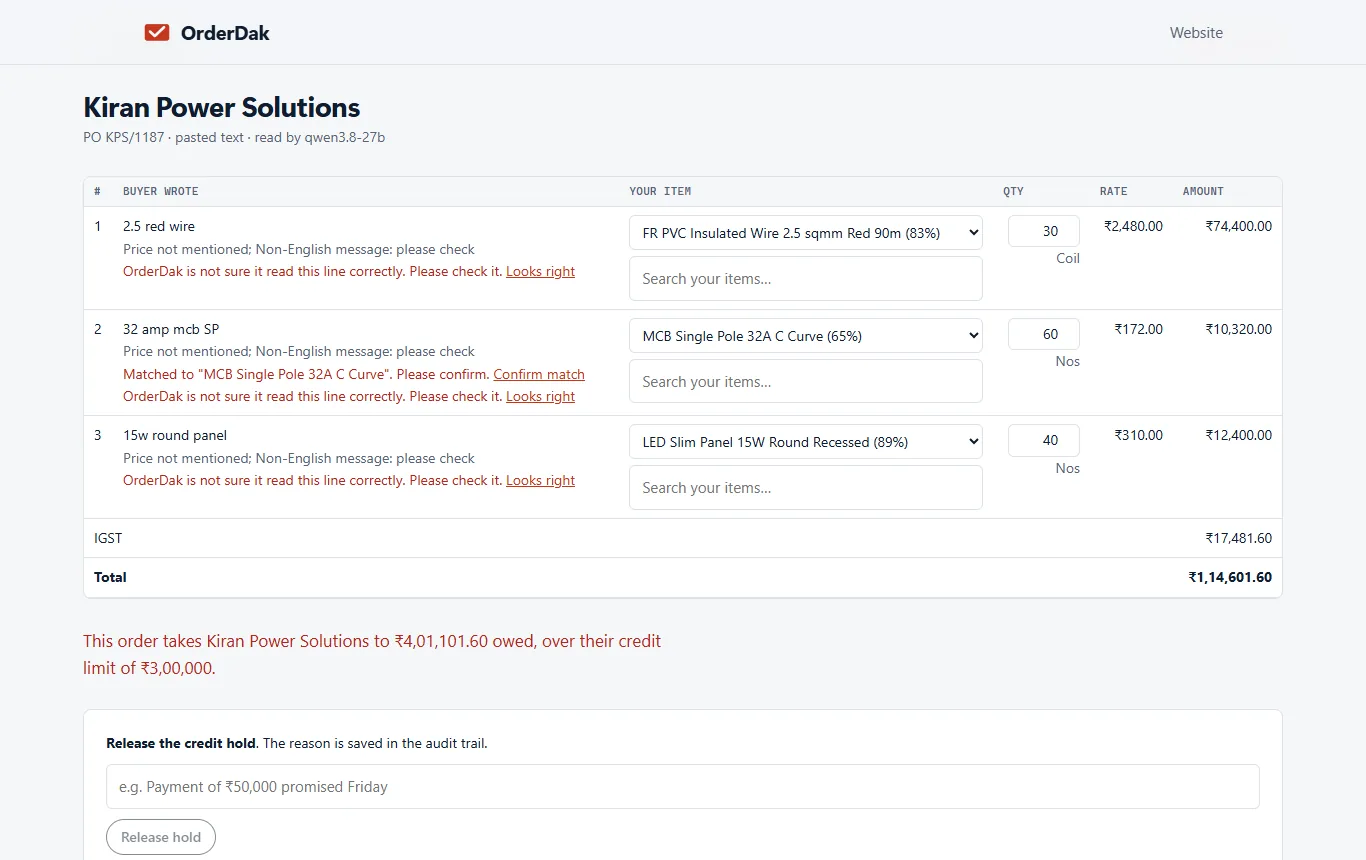
Approve
Approve the order. The buyer's PO number and due date go into the Sales Order.
Confirm to the dealer
If the PO came by email and confirmations are on, the dealer gets an email listing what you accepted and what is short (beta).
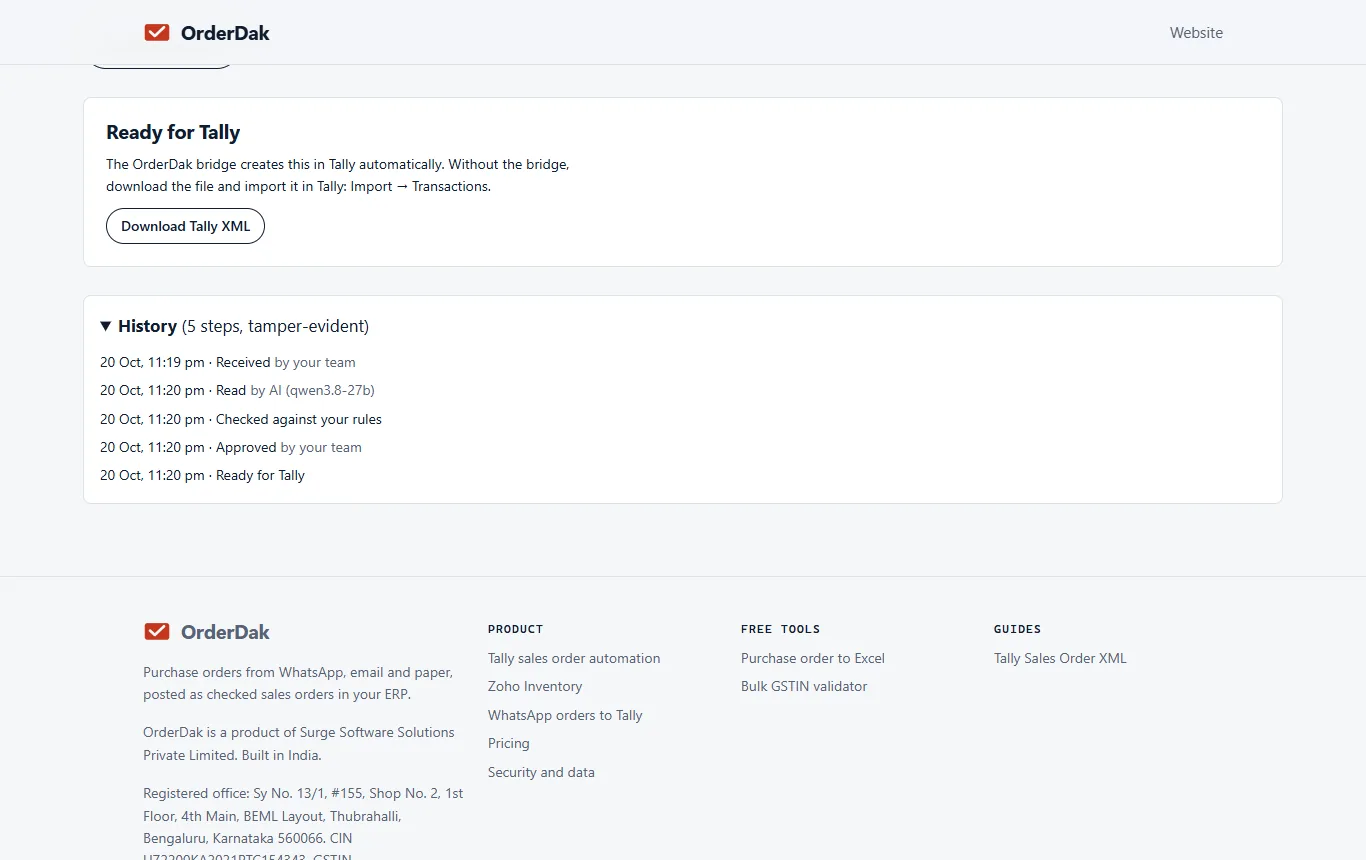
Post to Tally
Import the Tally XML or let the bridge create the Sales Order (beta). The full trail is in the order's history.
When OrderDak is not the right tool
If you need a dealer portal where dealers log in and place orders, OrderDak doesn't offer one. If your ERP is SAP Business One or Odoo, posting is planned, not built; you can only export to Excel today. And if you need many document types read beyond customer orders, a general document-extraction platform may suit you better.
Questions
Does the dealer's PO number go into Tally?
Yes. The Sales Order carries the buyer's PO number and the due date.
What if a dealer's rate changes mid-year?
Upload the new rate with a Valid From date. Re-importing the same party, item and start date updates the rate.
Does it check the dealer's GSTIN?
Yes. It checks the GSTIN's check digit and blocks the order if the GSTIN on the PO differs from your customer master.
Can it post into SAP Business One?
Not yet. SAP Business One is planned. Today you can export approved orders to Excel.
Related: How to catch duplicate purchase orders before they reach Tally · How to import a PDF purchase order into Tally as a sales order · OrderDak vs Nanonets · Pricing
Last updated 1 November 2026 · by Venu Gopal Reddy Muvva, founder